• Skip to content
  • Skip to footer
  • WEBMAIL
  • SMARTHUB

SRT.COM

  • INTERNET
  • SECURITY
  • PHONE
  • BUSINESS
  • TV

Karim Tripodina

SecureIT Discontinued by Manufacturer

Jan 19 2026

SecureIT Discontinued by Manufacturer

News_ImportantNoticeSecureITplus640x320

We appreciate your business and want to make you aware that SecureIT Plus is being discontinued by its developer.

As of March 31, 2026, full functionality of SecureIT Plus will end, as will its technical support and product updates.

This means that after March 31, 2026, the SecureIT Plus app will not have awareness of the latest threats and will not provide full protection. Also, the dedicated support staff for SecureIT Plus will be closed.

What you should do:

Once you have acquired a SecureIT Plus replacement, you should uninstall the app from your device(s) before installing the replacement. For SecureIT Plus uninstall instructions, go to www.securitycoverage.com/support/secureit.

We want to help you find a suitable alternative to the SecureIT Plus anti-virus application. Some options for free or low-cost alternatives include your device’s built-in applications like Windows Defender, and third party applications like Avast, BitDefender, and Sophos, to name a few.

SecureIT Plus dedicated technical support remains available at 877-373-3320 through March 31, 2026. 

Please know that the SRT Internet Helpdesk remains available 24/7 at 701-858-7873. Again, thank you for your business and we apologize for the inconvenience.


SRT Plans 75th Anniversary Celebration Activities

Jan 15 2026

SRT Plans 75th Anniversary Celebration Activities

News_75thAnniversary640x320 (1)

Minot, ND – SRT is planning activities and events throughout the year to mark its 75th anniversary. 

Summer and fall in particular will feature SRT’s Annual Meeting in June, as well as a celebration tour throughout the communities of the cooperative’s four districts.

SRT was established in 1951 to bring telephone service to rural north-central North Dakota. Since then, SRT has grown into the state’s largest telecommunications cooperative, connecting communities across more than 5,500 square miles with high-speed fiber internet.

Information on upcoming activities and a schedule of events will be updated regularly at srt.com/75years and SRT’s Facebook page.

SRT Communications, headquartered in Minot, North Dakota, is the state’s largest telecommunications cooperative and a multi-gig internet provider. Established in 1951, SRT employs roughly 180 people and serves more than 25,000 customers across north-central North Dakota. SRT built a fiber optic broadband network throughout its service area. Services include high-speed internet, phone, and security and surveillance systems for home and business. Learn more at www.srt.com.


PrevPreviousSRT Offering $15,000 in 2026 Scholarship Opportunities
NextSecureIT Discontinued by ManufacturerNext

Accessory Apps Phasing Out

Dec 18 2025

Accessory Apps Phasing Out

News_ImportantNoticeTechHome640x320

We appreciate your business and want to make you aware that products you may use have been discontinued by their manufacturer.

As of December 31, 2025, FileHopper and Password Genie will end and personal data within the apps will be deleted.

What you should do:

Double-check the apps you are using to see if you have any personal data you want to retrieve before December 31, 2025.

For instructions on exporting your data from Password Genie, go to www.securitycoverage.com/support/ and choose Password Genie.

For instructions on managing FileHopper data, go to www.securitycoverage.com/support/ and choose FileHopper.

Once you are done using the products or they’ve reached their end-of-life date (and you’ve removed any personal data you want to retain), you can delete the app from your device(s).

We want to help you find a suitable alternative to these products. Some options for free or low-cost alternatives include your device’s built-in applications and the following:

Password Vault: Bitwarden and LastPass

Cloud Storage: ProtonDrive and Sync

Dedicated technical support is available at 877-373-3320. Again, thank you for your business and we apologize for the inconvenience.
TUTORIAL/FAQ

Jul 16 2025

TUTORIAL/FAQ

Short Tutorial/FAQ – How Can I Manage What Ads I See on Facebook?

Download Graphics to View
Question: Sometimes I get irritated by the ads that show up in my Facebook feed. What can I do to manage them?

Answer: Below is information from the Facebook Help Center.

View and adjust your Ad preferences:
  1. Click your profile picture in the top right of Facebook.
  2. Select Settings & privacy, then click Settings.
  3. Click Accounts Center, then click Ad preferences.
Note: Not everyone will be able to access this setting in Accounts Center at this time. If these steps don’t work for you, try updating your app or go to accountscenter.facebook.com on your web browser.

From here, you can select Customize ads or Manage info. In the Customize ads tab you can:
  • See your ad activity
  • Manage your ad topics
  • See the ads you’ve saved
  • Review advertisers you saw ads from
In the Manage info tab you can:
  • Manage information from your profile used to show you ads
  • Personalize ads based on your Activity information from ad partners
  • Choose if you get ads shown by Meta in other apps
  • Choose who can see your social interactions alongside ads.
Note: Changing your ad preferences influences which ads you see, but it won’t change the total number of ads you see.

Hide ads from an advertiser:
  • Click in the top right of the ad and choose Why am I seeing this ad?
  • Next to Hide all ads from this advertiser, click Hide.
PrevPreviousCUSTOMER ALERT
NextSRT Donates $2500 to Upham Fire Supporters, Inc. for Upham Fire Protection District Safety EquipmentNext

CUSTOMER ALERT

Jul 16 2025

CUSTOMER ALERT

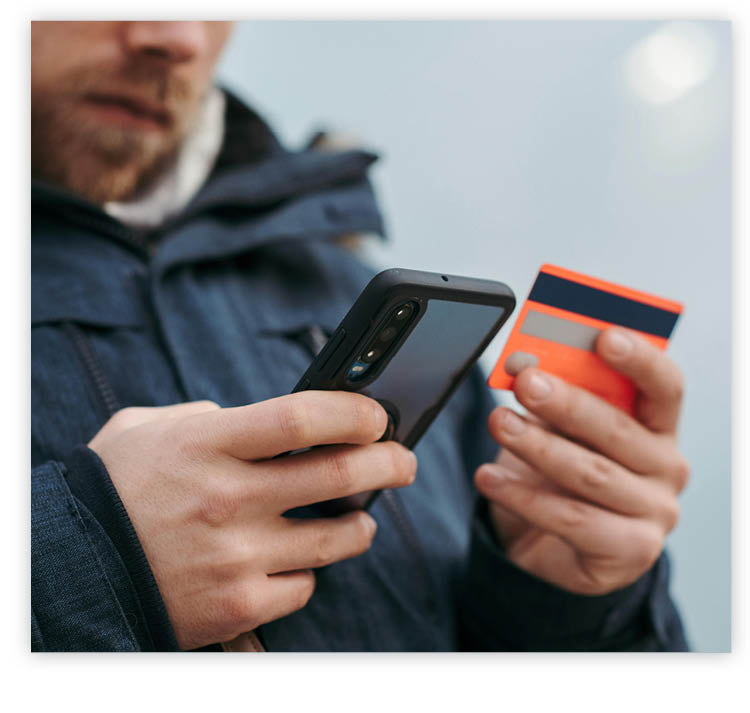
Stay Alert – Fake Gift Card Balance-Checking Sites

Watch Out For Charity Scams Can’t remember the balance on one of your gift cards? Make sure you don’t accidentally go to a fake gift card balance-checking site!

As part of their customer service, many legitimate companies provide sites for customers to check their gift card balances. Unfortunately, scammers have become increasingly skilled at creating deceptive balance-checking sites with fake URLs. If you want to check your card balance and do a Google search, among the top results may be a link that seems perfectly legit — even endorsed by Google Ads — but the whole thing is just a facade. Should you end up on one of these fake sites and enter your gift card number and PIN, you’ll unknowingly give scammers direct access to the funds on your card.

Keep this in mind: Just because a site to check your gift card balance appears at the top of a search, it does not mean it’s legitimate. Search results can be filled with fake gift card balance-checking sites, and scammers are constantly finding new ways to get their pages to show up at the top of results.

The safest way to check the balance of a gift card is to refer to the back of the card for a web address or phone number. If this information is not provided, proceed with caution. Avoid entering your gift card details into any search result labeled as “Sponsored” or “Ad.” In addition, be cautious of any site title that appears in wacky fonts or next to odd emojis. Scammers often use this tactic to make their fake sites both visually pop and appear towards the top.
PrevPreviousFoundation for Rural Service Now Accepting Community Grant Applications
NextTUTORIAL/FAQNext
  • « Previous Page
  • Page 1
  • Page 2
  • Page 3
  • Page 4
  • …
  • Page 20
  • Next Page »

Footer

Tools and More
HELP & SUPPORT
SPEED TEST
ONLINE DIRECTORY
PAYMENT OPTIONS
LIFELINE PROGRAM

SRT
ABOUT US
SRT CARES
NEWS
JOIN OUR TEAM
LEGAL


701.858.1200
FOLLOW US:
SRT Facebook  SRT LinkedIn  SRT Twitter  SRT Instagram
SRT YouTube

Generic filters
Exact matches only

This institution is an equal opportunity provider and employer. @2026 SRT Communications, Inc. All Rights Reserved.

S R TLogo Header Menu
  • WEBMAIL
  • SMARTHUB
  • INTERNET
  • SECURITY
  • PHONE
  • BUSINESS
  • TV