• Skip to content
  • Skip to footer
  • WEBMAIL
  • SMARTHUB

SRT.COM

  • INTERNET
  • SECURITY
  • PHONE
  • BUSINESS
  • TV

News

October Tech Tip: 5 Easy Tips to Protect Your Data

Oct 18 2022

October Tech Tip: 5 Easy Tips to Protect Your Data

Techtip_5TipsProtectYourData-

The internet can be scary and intimidating at times, but with a few small changes it can become much more manageable. These simple tips will help you feel more secure online:

1. Vary Your Passwords

Don’t use the same password for every account, email, and app. Varying passwords limits the potential for someone to access all your accounts if they have gained access to one.

2. Set Up Multi-Factor Authentication

This simple additional step can make a huge difference when protecting yourself online. Multi-factor authentication can require a text or email to be sent to registered contact information that acts as a second layer of defense.

3. Avoid Using Your Debit Card Online

If possible, it is best to use a credit card rather than a debit card that is linked to your bank account. If your card is compromised, credit cards add an additional level of protection rather than allowing someone access to all the funds in your account. If a credit card is not an option, using a service such as PayPal or other reputable online payment companies can provide the necessary insurance in case of a breach.

4. Limit Information Shared on Social Media

As tempting as sharing personal information with your social network might be, hackers can use the information to gain access to your personal data. Security question answers can often be determined by scrolling through someone’s social media feed, like the name of your pet, your favorite sports team, where you like to travel, or names and/or birthdays of your children.

5. Be Suspicious

When it comes to your personal data, you can never be too cautious. It is best to always be suspicious of anyone or anything asking for information. If you think it seems suspicious, it probably is.

PrevPreviousMUST-SEE VIDEOS
NextSITES OF THE MONTHNext

MUST-SEE VIDEOS

Oct 17 2022

MUST-SEE VIDEOS

Cool Video 1 - Download Graphics to View
 
Yosemite Falls Rainbow Mist

In this National Geographic video, the morning light turns the waterfall’s spray into a rare cascading rainbow.
Cool Video 2 - Download Graphics to View
 
Awesome Bike Tricks in Austria

You’ll be wowed by two things — this woman’s bike maneuvers and the beauty of the Austrian mountains.

Pranking The Bad Guys

Oct 10 2022

Pranking The Bad Guys

Watch Pranksters Work to Shut Down Scam Call Centers

Download Images to View

Mark Rober is a former NASA engineer turned YouTuber who’s best known for funny gadget videos. But here, Rober and his team use gadgets — including smoke bombs and cockroach-release boxes — to go after four call centers in India that scam older people out of their life savings. Watch for a behind-the-scenes look at how these terrible scams work.
PrevPreviousSITES OF THE MONTH
NextMUST-SEE VIDEOSNext

SITES OF THE MONTH

Oct 07 2022

SITES OF THE MONTH

Tips to Keep Kids Safe  
Tips to Keep Kids Safe
September is Baby Safety Month, and this site provides safety advice for parents to follow at home and on the road.
Learn more…
Avoid Airport Woes  
Avoid Airport Woes
Before you fly, check out the TSA’s Top Travel Tips for the rules about packing liquids, medications, and more.
Learn more…
Tasty Tailgate Recipes  
Tasty Tailgate Recipes
Football is big in the South, and these 48 Southern Living recipes for game day are sure to score points at tailgate parties.
Learn more…
PrevPreviousBeware of Phishing Emails
NextPranking The Bad GuysNext

Beware of Phishing Emails

Oct 06 2022

Beware of Phishing Emails

2022_internet_phishing_news
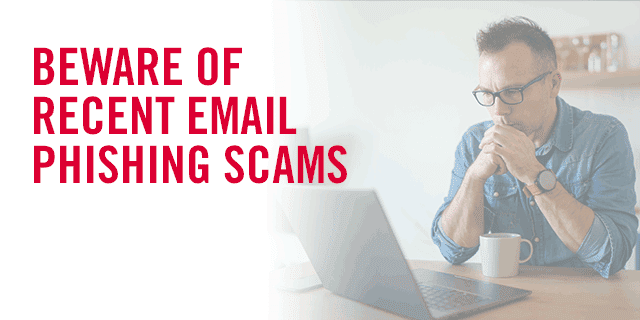
We received a few reports from customers receiving emails with the subject line, “New Update on STR Email.” This is a phishing scam and was not sent by SRT.
 

What is Phishing?

Phishing is a cyber threat that pretends to be someone you know via email or text messaging. They want sensitive information from you like credit card numbers, usernames, and passwords.
 

How to Spot Phishing Scams

Look for typos and spelling errors. For example, if an email says, “STR Email” instead of “SRT Email” in the subject line, this is a red flag. Also, always look at the sender’s email address to see if it appears suspicious. Many phishing emails also have a sense of urgency to their message or contain offers too good to be true.
 
If you receive a suspicious email like this, please delete it right away and don’t click on any links. We’re here for you, and protecting your information is a top priority!
 

For more information on how to stay cybersafe, you can visit Cybersecurity | Ready.gov. We will also continue to share the latest tips and trustworthy resources, so visit us often.

PrevPreviousSRT Celebrates National Cooperative Month
NextSITES OF THE MONTHNext
  • « Previous Page
  • Page 1
  • …
  • Page 40
  • Page 41
  • Page 42
  • Page 43
  • Page 44
  • …
  • Page 118
  • Next Page »

Footer

Tools and More
HELP & SUPPORT
SPEED TEST
ONLINE DIRECTORY
PAYMENT OPTIONS
LIFELINE PROGRAM

SRT
ABOUT US
SRT CARES
NEWS
JOIN OUR TEAM
LEGAL


701.858.1200
FOLLOW US:
SRT Facebook  SRT LinkedIn  SRT Twitter  SRT Instagram
SRT YouTube

Generic filters
Exact matches only

This institution is an equal opportunity provider and employer. @2026 SRT Communications, Inc. All Rights Reserved.

S R TLogo Header Menu
  • WEBMAIL
  • SMARTHUB
  • INTERNET
  • SECURITY
  • TV
  • PHONE
  • BUSINESS