• Skip to content
  • Skip to footer
  • WEBMAIL
  • SMARTHUB

SRT.COM

  • INTERNET
  • SECURITY
  • PHONE
  • BUSINESS
  • TV

News

SRT Donates $7,500 to Berthold Park District

Aug 29 2020

SRT Donates $7,500 to Berthold Park District

BertholdParkDistrict_3056

SRT Board member, Stan Vangsness, presented a check to Randy Kunz, Berthold Park District Park Board President, to fund their athletic fields refurbishment project. Berthold Park District is renovating their multi-use athletic fields that were built in the 1960s. The scope of the project entails resurfacing the fields, adding safety fencing and a scoreboard, and creating a shaded seating area for spectators. The Berthold Park District received $7,500 towards this community improvement project. 

PrevPreviousSRT Donates $7,500 to Velva Sports Complex
NextSRT Donates $7,500 to Upham Legion Post 269Next

SRT Donates $7,500 to Velva Sports Complex

Aug 24 2020

SRT Donates $7,500 to Velva Sports Complex

velvasportscomplex_2854

SRT board members Dennis Schott and Tom Jespersen presented Larry Sandy, Athletic Director of Velva Public School (pictured center), with a $7,500 check for the Velva Sports Complex renovation. The current Velva athletics building needs updates. The new climate-controlled facility will include handicap accessible restrooms, concessions, more efficient storage for sports gear, a huddle room, and a ticket window.  Congrats to the Velva community on these improvements.

PrevPreviousE-MAIL SCAM ALERT
NextSRT Donates $7,500 to Berthold Park DistrictNext

E-MAIL SCAM ALERT

Aug 19 2020

E-MAIL SCAM ALERT

pressreleases_emailscam
Some SRT Internet customers have received an email notifying them that their email address will be deactivated. Unfortunately, this is what is called a phishing scam, aimed at trying to encourage you to click a link to a fraudulent website. If you received this message we encourage you to delete it. As always, if you have questions about a strange email, we urge you to contact SRT to verify its contents.
 
If you receive the message, delete it without opening. 
PrevPreviousSHORT TUTORIAL
NextSRT Donates $7,500 to Velva Sports ComplexNext

SHORT TUTORIAL

Aug 14 2020

SHORT TUTORIAL

Download Graphics to View Question: Sometimes it seems to take forever to find the exact information I need on Google. How can I do a search that’s more efficient?

Answer: To increase the efficiency of your searches, try these techniques:
  1. Use quotation marks.
    When searching for something specific, try using quotation marks to minimize the guesswork for Google search. When you put your search parameters inside quotation marks, it tells the search engine to search for the whole phrase.

    For instance, if you search for Puppy Dog Sweaters, Google will search for content that contains those three words in any order. However, if you search “Puppy Dog Sweaters,” it will search for that phrase exactly as you typed it. This can help locate specific information that may be buried under other content if not sorted out correctly.

  2. Use a hyphen to exclude words.
    Sometimes you may find yourself searching for a word with an ambiguous meaning. An example is Mustang. When you Google search for Mustang, you may get results for both the car made by Ford or the horse. If you want to cut one out, use the hyphen. When you enter Mustang – cars,” it tells the search engine to search for mustangs but to remove any results that have the word car in it. This tip can save you lots of time when doing searches.

  3. Use a colon to search specific sites.
    There may be an instance where you need to Google search for articles or content on a certain website. For example, if you enter Wayne Gretzky site:nhl.com, Google will search for all content about the famous hockey player, but only on NHL.com. All other search results will be removed.

  4. Use the asterisk wildcard.
    When you use an asterisk in a search term on Google search, it will leave a placeholder that may be automatically filled by the search engine later. This is a brilliant way to find song lyrics if you don’t know all the words.
PrevPreviousCRAFTY IDEAS
NextE-MAIL SCAM ALERTNext

CRAFTY IDEAS

Aug 14 2020

CRAFTY IDEAS

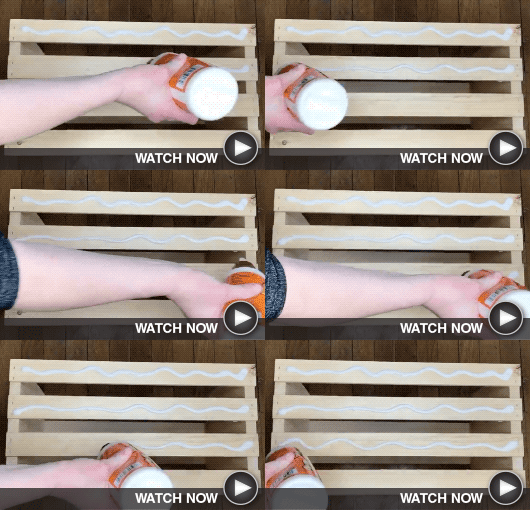
Crafty Demo 1 - Download Graphics to View
Make Miles of Style
Check out these clever ways to transform paper maps into decorative home items including photo displays.
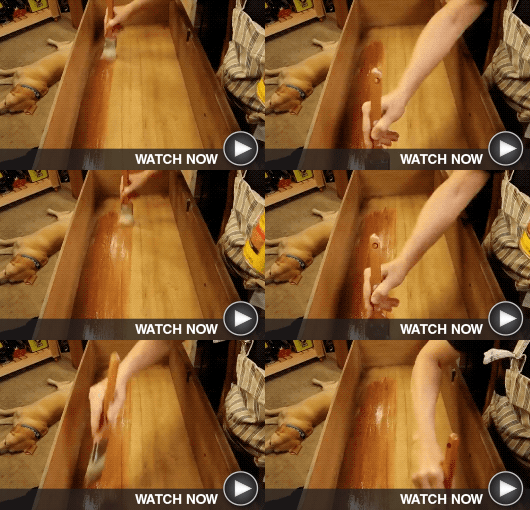
Crafty Demo 2 - Download Graphics to View
Tree-mendous Wood Slices
Have wood slices from a tree trimming? It’s easy to turn them into a chalkboard, cheese platter, or coasters.
PrevPreviousPOPULAR APPS
NextSHORT TUTORIALNext
  • « Previous Page
  • Page 1
  • …
  • Page 86
  • Page 87
  • Page 88
  • Page 89
  • Page 90
  • …
  • Page 118
  • Next Page »

Footer

Tools and More
HELP & SUPPORT
SPEED TEST
ONLINE DIRECTORY
PAYMENT OPTIONS
LIFELINE PROGRAM

SRT
ABOUT US
SRT CARES
NEWS
JOIN OUR TEAM
LEGAL


701.858.1200
FOLLOW US:
SRT Facebook  SRT LinkedIn  SRT Twitter  SRT Instagram
SRT YouTube

Generic filters
Exact matches only

This institution is an equal opportunity provider and employer. @2026 SRT Communications, Inc. All Rights Reserved.

S R TLogo Header Menu
  • WEBMAIL
  • SMARTHUB
  • INTERNET
  • SECURITY
  • TV
  • PHONE
  • BUSINESS