

• Skip to content
  • Skip to footer
  • WEBMAIL
  • SMARTHUB

SRT.COM

  • INTERNET
  • SECURITY
  • PHONE
  • BUSINESS
  • TV

Tom Thomas

NEW WEBMAIL – AUTO-REPLY

May 07 2020

NEW WEBMAIL – AUTO-REPLY

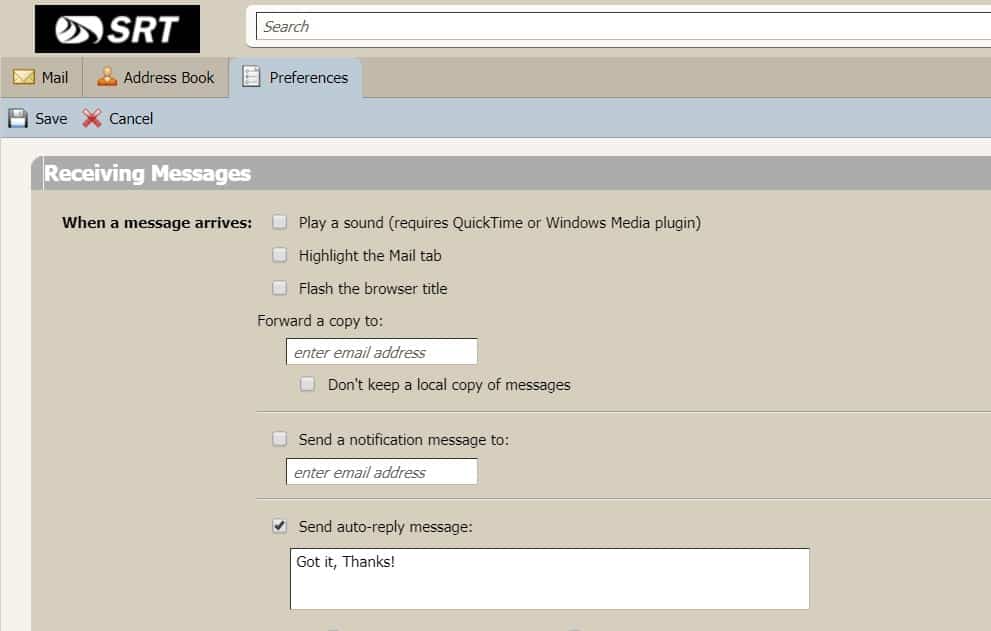
To see your Webmail Auto-Reply settings, log into webmail.srt.com and click on Preferences and select the Mail tab. Your settings for Auto-Reply are in the Receiving Messages section.  See example below.

Auto-reply Zimbra

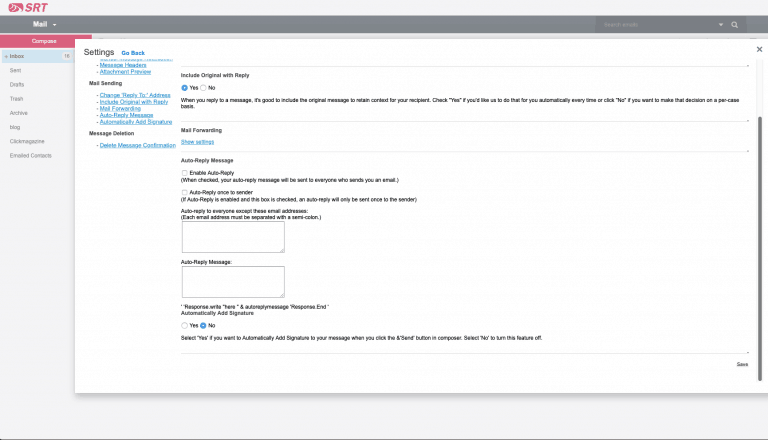
To add an auto-reply in the new Webmail when it becomes available on May 13, log into webmail.srt.com, open your Setting by clicking the Settings icon [Gear], then click Mail Preferences and click Auto-Reply Message.  Locate the Auto-Reply Message section, Click Enable Auto-Reply, add your reply text and click Save.  See example below.

autoreply

NEW WEBMAIL – MAIL FILTERS

May 07 2020

NEW WEBMAIL – MAIL FILTERS

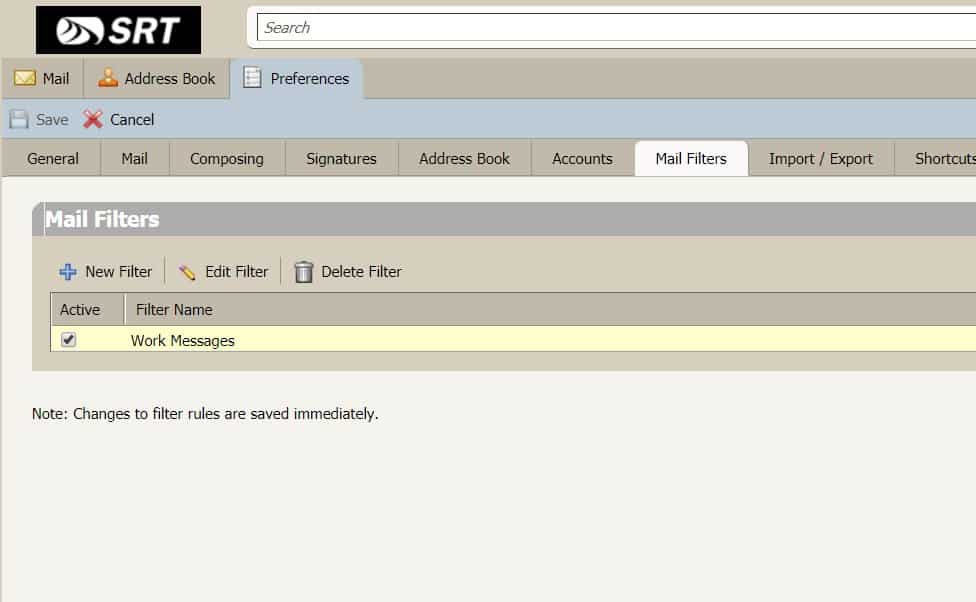
To see your Webmail Mail Filters settings, log into webmail.srt.com and click on Preferences and select the Mail Filters tab.  Your list of filters should appear in the tab.  Double-click the filter you wish to observe.  See example below.

Mail Filters Zimbra

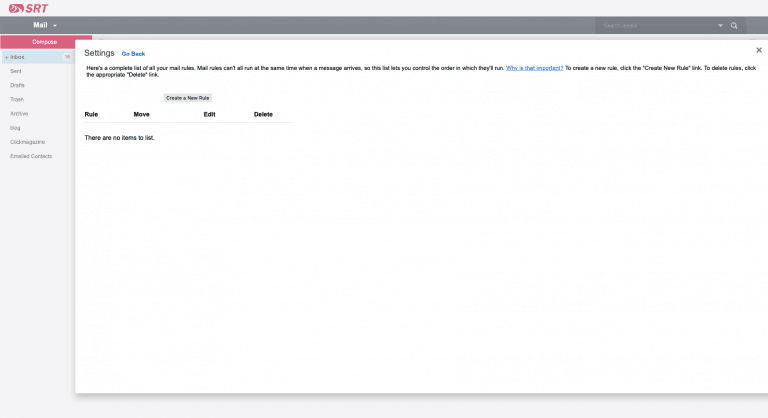
To add and apply Rules – as they’re called – in the new Webmail when it becomes available on May 13, log into webmail.srt.com, open your Settings by clicking the Settings icon [Gear], then click Rules and the Create a New Rule button to develop the Rule(s) you wish and click Save. 

rules
PrevPreviousSusanne Hoskin Promoted To Human Resources Administrator
NextNEW WEBMAIL – AUTO-REPLYNext

TUTORIAL/FAQ

Mar 16 2020

TUTORIAL/FAQ

FAQ/TUTORIAL
Download Graphics to View Question: Facebook is fun but sometimes I want a place where I can communicate with just my close friends. Is a Facebook group a good way to do this? If so, how do I start one?

Answer: Yes, a Facebook group is a great way to use many of the same features you like about Facebook with fewer people. It can be for a set of friends, a book club, a special interest group, or anything else you like. Your group can be open to the public or private — you can control the way it gets used. Here’s how to create one:
  1. On your Facebook home page, at the top of the screen, select Create > Group.

  2. In the dialog box, create a name for your group and select some friends you want to be in it. Set the privacy and visibility settings. Select Create.

  3. Once your group is created, you can add a cover image, similar to how you would add one to your own profile.

  4. In the left column, select About. In the About section, write a description of your group.

  5. Under the cover image, select More > Edit Group Settings to further refine the characteristics of your group.

  6. Now return to the main group page to create your first post and invite more members.
PrevPreviousDO IT YOURSELF
NextSRT ANNUAL MEETING POSTPONEDNext

DO IT YOURSELF

Mar 16 2020

DO IT YOURSELF

DO-IT-YOURSELF TIPS
Do-It-Yourself Demo 1 - Download Graphics to View  
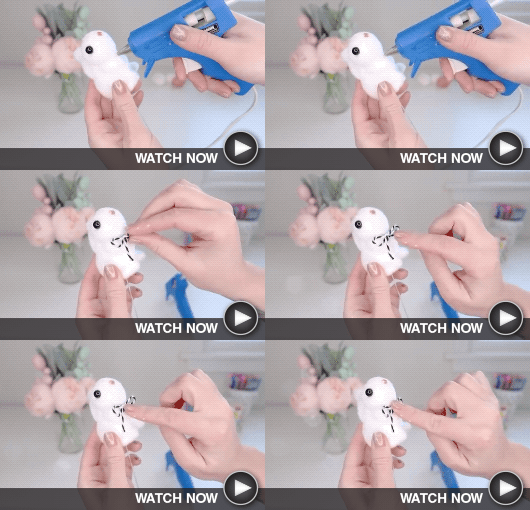
Easter-Themed Décor
This video offers several great ideas for reusing common materials to make cute, easy decorations for your home this holiday.
Do-It-Yourself - Download Graphics to View  
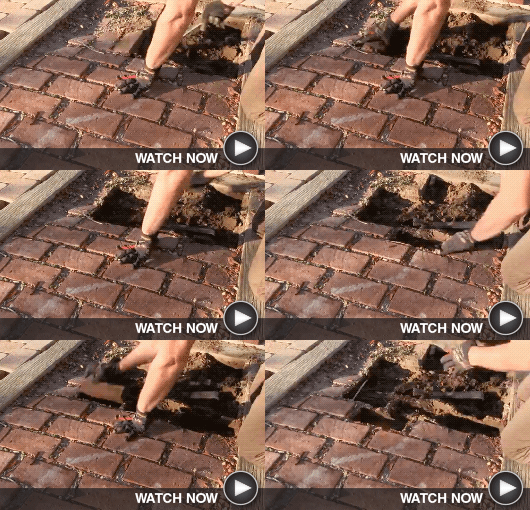
Paver Walkway Install
In this home improvement project, the homeowner replaces the broken, sagging bricks in a walkway with pretty new pavers.
PrevPreviousINSTAGRAM FOCUS
NextTUTORIAL/FAQNext

INSTAGRAM FOCUS

Mar 16 2020

INSTAGRAM FOCUS

<!-- INSTAGRAM FOCUS -->
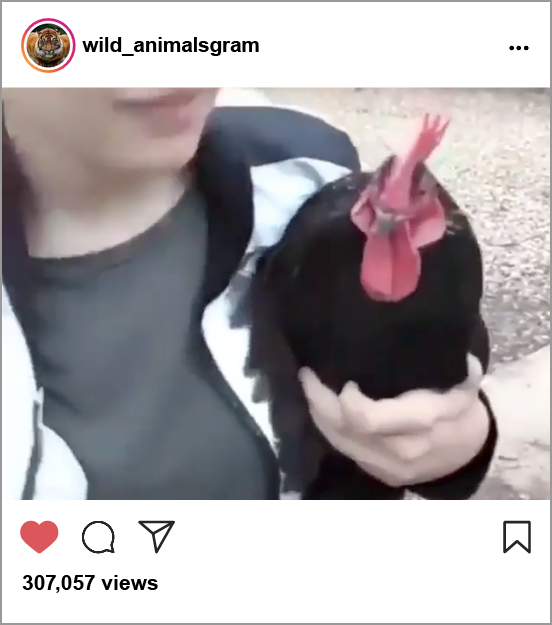
Welcome Home Rooster “Welcome Home” Rooster Like a typical dog, this rooster runs down the driveway to meet his favorite family member as she gets off the school bus. High-Wire Biking High-Wire Biking LIke to see the beautiful natural world in a whole new way? Then you might want to try a whole new sport: high-wire biking.
PrevPreviousCOOKING DEMO
NextDO IT YOURSELFNext
  • « Previous Page
  • Page 1
  • …
  • Page 43
  • Page 44
  • Page 45
  • Page 46
  • Page 47
  • …
  • Page 63
  • Next Page »

Footer

Tools and More
HELP & SUPPORT
SPEED TEST
ONLINE DIRECTORY
PAYMENT OPTIONS
LIFELINE PROGRAM

SRT
ABOUT US
SRT CARES
NEWS
JOIN OUR TEAM
LEGAL


701.858.1200
FOLLOW US:
SRT Facebook  SRT LinkedIn  SRT Twitter  SRT Instagram
SRT YouTube

Generic filters
Exact matches only

This institution is an equal opportunity provider and employer. @2026 SRT Communications, Inc. All Rights Reserved.

S R TLogo Header Menu
  • WEBMAIL
  • SMARTHUB
  • INTERNET
  • SECURITY
  • PHONE
  • BUSINESS
  • TV