• Skip to content
  • Skip to footer
  • WEBMAIL
  • SMARTHUB

SRT.COM

  • INTERNET
  • SECURITY
  • PHONE
  • BUSINESS
  • TV

Brittany Armstrong

SRT Awards College Scholarships

Apr 19 2022

SRT Awards College Scholarships

MINOT, N.D. – SRT is pleased to announce the 2022 winners of five college scholarships. Of more than 100 applications submitted by outstanding area students, four winners were awarded the SRT Scholarship for $1,500 each. The SRT $2,500 Technical Scholarship winner was also selected.

The $1,500 SRT Scholarship recipients are:

  • Jersey Johnson – Minot High School
  • Madison Moberg – MLS Mohall High School
  • Jadyn Sandy – Velva High School
  • Niah Wollenzien – TGU Towner High School

The winner of the $2,500 SRT Technical Scholarship is Dylan McDonald of Glenburn Public School, who will be attending the South Dakota School of Mines and Technology and will major in engineering or computer science.

News_scholarshipallwinners640x320

“SRT awards scholarships to recognize our area students’ exceptional achievements and support their promising college goals,” said Cassidy Hjelmstad, SRT CEO/General Manager. “As always, we received many impressive applications. It’s been an honor to see how much this scholarship program impacts area youth and we are happy to play a small role in their success.”

Applicants for the SRT Scholarship Program were judged on their scholastic performance and achievements, as well as volunteerism and community involvement. Students were required to write an essay discussing how technology has impacted their experience as a student, whether positively or negatively, during the COVID-19 pandemic.

The SRT Technical Scholarship also required students to submit their volunteerism and community involvement, scholastic performance, and an essay describing how they can use their education and technology to reach rural and underserved populations. Additionally, a letter of recommendation from a community member or educator was required. This scholarship is unique in that it can be awarded to a graduating high school senior or an undergraduate student currently enrolled in a two-year or four-year college.

SRT congratulates the winners and wishes all seniors the best in their future endeavors.

SRT Communications, headquartered in Minot, North Dakota, is the state’s largest telecommunications cooperative. Established in 1951, SRT employs nearly 200 people and serves more than 48,000 customers across north central North Dakota. SRT is committed to bringing the benefits of fiber to rural and urban communities alike and earned the distinction as a Certified Gig-Capable Provider in 2017. Services include internet, TV, phone, and security/surveillance systems for home and business.

###
PrevPreviousCRAFTY IDEAS
NextCOOKING DEMONext

April Tech Tip: What to do with Your Old Technology Devices

Apr 11 2022

April Tech Tip: What to do with Your Old Technology Devices

Techtip_olddevices

Technology is rapidly evolving and the desire to keep up with the latest tech trends is strong. But what should you do with your old devices? Here are a few options that are much more beneficial alternatives to simply tossing the device:

  1. Recycle or trade-in: Best Buy is the nation’s largest tech recycling retailer and offers a recycling and trade-in program. Their online trade-in calculator will let you know if your old device has residual value and offer credit for recycling it. If your device does not have a residual value, they will still accept it and recycle it properly. Not all Best Buy stores have recycling programs but do offer an online trade-in option.

  2. Donate them: If you have a working cell phone or laptop that you are looking to donate, it is great to check with local shelters to see if someone could use it. Access to technology helps immensely with job searching, education, and communication with loved ones.

  3. Return to the manufacturer: Some manufacturers of technology products offer buy-back and recycling programs for their items. Sony, Samsung, Dell, LG, and Xerox are all examples of companies who provide recycling programs for their products. A full list of companies and recycling locations is available at Electronics Donation and Recycling | US EPA.

When looking to recycle or donate old technology, always remember to wipe your device of any personal data. Factory resetting the device is also recommended.

PrevPreviousMUST SEE VIDEOS
NextCRAFTY IDEASNext

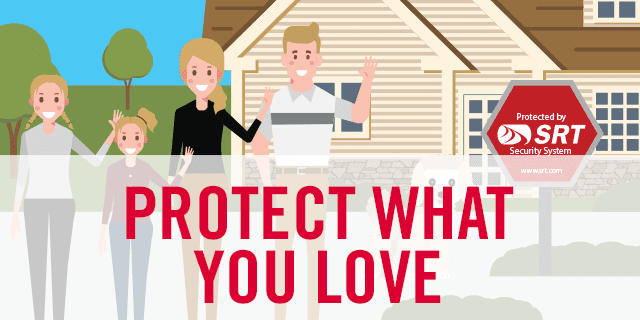
Protect What—And Who—You Love

Apr 07 2022

Protect What—And Who—You Love

News_SecurityRes_DesLauriers

You’ve met the new neighbors and hung the basketball hoop in the driveway. The kids have picked their bedrooms (perhaps with a few fights along the way) and you’ve flipped through seemingly endless paint samples and carpet swatches. You’ve worked hard to build a home and a life that you love, and now it is finally time to sit back, relax, and enjoy it.

Moving into a new home is one of the most exciting moments in any family’s life. But amidst all the milestones, it’s easy to lose sight of one of the less enjoyable, yet most important decisions.

News_SecurityRES_pullquote

As a new homeowner, investing in a home security system should be one of the first items on your to-do list—because when it comes to protecting your loved ones, you can never be too careful.

Here are the top five ways that a security system from SRT can keep your home, family, and possessions safe:

1. Stop break-ins before they happen.

Of the estimated 2.5 million burglaries that are committed every year in the United States, more than half are home invasions. With a security system from SRT, if someone tries to break into your home, their movements will set off door and window sensors, glass break detectors, and motion detectors—scaring them off with a screeching alarm and dispatching the proper authorities to your home.

2. Never forget to lock up again.

Have you ever gotten halfway to work, only to wonder if you’d locked the door behind you? You don’t want to leave your home wide open to intruders, but you don’t have the time to turn around and double-check. With smart locks, you can ensure that your home is secure right from your phone.

3. Protect your family from fires and carbon monoxide.

Criminals aren’t the only threat to home security. A complete security system can instantly alert you to the presence of smoke or carbon monoxide, giving you time to get yourself and your family to safety.

But what if no one is home to hear the alarm? Your detectors can be monitored 24/7, so even if you are away, firefighters can immediately be alerted and dispatched to your house.

4. Conserve energy and save money.

In addition to protecting your family from harm, a smart home security system can save you money on your energy bill. With smart home devices, you can turn off lights and adjust your thermostat while you’re away, preventing you from wasting unnecessary energy when you’re not home to enjoy it.

5. Monitor your home at any time, from anywhere.

Whether you want to check in on the dog, keep an eye on the kids, or just make sure that everything’s where it should be, with surveillance cameras, you can monitor your home 24/7. With just the tap of an app, you can view live video, receive notifications, and access video clips on your smart device.

As a new homeowner, the last thing you need is one more box to check. That’s why, at SRT, we make securing your home simple. All you need to do is complete a free security assessment to determine which products are right for you. From there, we’ll take care of installation and maintenance, leaving you time to focus on all the fun parts of homeownership.

And because we are a local provider, if you run into any issues, simply give us a call and one of our technicians will be there right away to ensure your system is running smoothly.

If you’re on the fence about investing in a home security system, remember: you can’t put a price on protecting what—and who—you love. Call SRT at 701.852.8888 to find a package that’s right for your family.

PrevPreviousNEWS & VIEWS
NextMUST SEE VIDEOSNext

March Tech Tip: Managing Your Screen Time

Mar 11 2022

March Tech Tip: Managing Your Screen Time

Techtip_ManagingYourScreenTime

Do you find yourself scrolling aimlessly through social media or playing games late into the night? Here are some helpful ways to evaluate your screen time and set some boundaries for yourself.

On Android:

  1.        Open your settings.
  2.        Open Digital Wellbeing & Parental Controls.
  3.        Hit show your data to see your activity.

On Apple:

  1.        Open your settings.
  2.        Select screen time.
  3.        Select “See All Activity.”

Once you’ve identified how much time you’re spending on your device and which apps are commanding most of your attention, you can start to set limits and schedule downtime away from your screen.

PrevPreviousSteps and Software for Staying Cybersafe
NextTutorial/FAQNext

Steps and Software for Staying Cybersafe

Mar 09 2022

Steps and Software for Staying Cybersafe

News_cybersecurity_thmb

Technology makes our homes smarter and lives easier in so many ways. But it also brings the risk of cyberattacks. Good cybersecurity is just as important for families as it is for any business. We routinely use computers to shop online, pay bills, and access our personal accounts. Without effective safeguards in place, our personal information is vulnerable to hackers.

Cyberattacks take on many forms

  • Phishing is the easiest and most common way bad actors access your system. How? They send a seemingly trustworthy email to trick you into revealing private information, or to install malware on your computer. If you open the email and follow any instructions, you’ve unknowingly let them in.
  • Denial of service is a type of attack in which a hacker floods a device or server with requests until it becomes overwhelmed and can’t function. Usually, hackers use malware to infect a device and bombard it with commands. 
  • Direct attacks, including brute force attacks, use persistence to directly target data. The attacker systematically checks all possible passwords and passphrases until the correct one is found.

Steps to avoid becoming a victim

  • Update your passwords. The best way to avoid a brute force attack is to make your passwords tough to guess and different from your passwords on other sites. The longer the password, the more combinations that will need to be tested. Implement multi-factor authentication for another layer of security.
  • Don’t click on any links. If you receive an email or text from an unknown source asking you to click a link or download a file for more information, don’t click. While you can hover over links and email addresses to see where they are really coming from, in most cases you’ll want to just delete the message.
  • Install software that goes beyond antivirus. Because there are many tools used to carry out cyberattacks, your anti-hacker software shouldn’t only cover viruses. Make sure you choose protection with several security layers to block all kinds of threats:
    • Viruses. Programs with malicious intents are characterized by the ability to multiply and infect other computers or devices. Viruses are usually tied to an executable file which, when you unknowingly run it, also acts as the trigger for the virus.
    • Trojans (Horses). Malicious software can masquerade as common software and trick you into downloading and running it on your computer. When you do that, trojans usually open the gate to other forms of malware on your computer.
    • Worms. These malicious programs take advantage of the security holes and vulnerabilities in your operating system or other software (like your web browser for instance) and use them to infect your computer. Unlike regular viruses, worms can multiply and spread by themselves, without you having to run an infected file.
    • Spyware. Designed to spy and gather intelligence about you, spyware tries to hide from your operating system. After collecting information about you, it tries to send it to hacker-controlled servers.
    • Rootkits. This malware is designed to give hackers remote access and control of a device, without being detected by the victims or the security software installed on the infected devices.
    • Ransomware. Once ransomware infects your computer, it takes control and encrypts your files such as your pictures, work documents, and videos. Once that happens, ransomware programs try to make you pay considerable amounts of money to their creators, so you can get your files back.
    • Adware. These software programs display advertisements on your screen, in your web browsers, or other places on your computer. Adware almost always hurts your computer’s performance and your user experience. It can also help infect your computer with malware.
    • Network attacks. When hackers try to take control of your devices remotely, they can do that through a “break” approach. A good firewall must be able to deflect attacks from the outside but also tell you about suspicious traffic that is initiated from your computer to the outside world.
    • Web threats. Your web browser should be the first in the line of defense against malware to stop you from visiting websites with malicious content. It is better to deal with malware in your browser than to have to do that when it reaches your computer.

For more information on how to stay cybersafe, you can visit Cybersecurity | Ready.gov. We will also continue to share the latest tips and trustworthy resources, so visit us often.

PrevPreviousCOOKING DEMO
NextMarch Tech Tip: Managing Your Screen TimeNext
  • « Previous Page
  • Page 1
  • …
  • Page 7
  • Page 8
  • Page 9
  • Page 10
  • Page 11
  • …
  • Page 18
  • Next Page »

Footer

Tools and More
HELP & SUPPORT
SPEED TEST
ONLINE DIRECTORY
PAYMENT OPTIONS
LIFELINE PROGRAM

SRT
ABOUT US
SRT CARES
NEWS
JOIN OUR TEAM
LEGAL


701.858.1200
FOLLOW US:
SRT Facebook  SRT LinkedIn  SRT Twitter  SRT Instagram
SRT YouTube

Generic filters
Exact matches only

This institution is an equal opportunity provider and employer. @2026 SRT Communications, Inc. All Rights Reserved.

S R TLogo Header Menu
  • WEBMAIL
  • SMARTHUB
  • INTERNET
  • SECURITY
  • PHONE
  • BUSINESS
  • TV